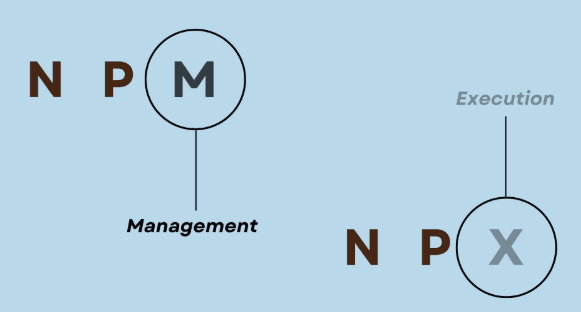
npm vs npx: Same Family, Very Different Jobs
 Eahtasham Ummam
If you’ve been writing JavaScript for more than 10 minutes, you’ve seen npm and npx everywhere. And at some point, you probably thought:
“Why do we even have both? Isn’t one enough?”
Fair question. No one explained it properly.
Let’s fix that.
What is npm?
npm (Node Package Manager) is your package manager.
It helps you:
Install libraries
Manage dependencies
Run scripts
Example:
npm install express
This installs Express into your project and saves it in node_modules.
Think of npm like: “I want this tool in my project permanently.”
What is npx?
npx (Node Package Execute) is for running packages directly without installing them.
Example:
npx create-react-app my-app
Here’s the twist:
You didn’t install
create-react-appIt just ran it temporarily
Think of npx like: “I just need this tool once. Don’t clutter my project.”
Why npx even exists?
Before npx, we had to:
npm install -g create-react-app
create-react-app my-app
Problems:
Global installs = version conflicts
Old versions hanging around
Messy system
npx solves this by: ✔ Running latest version ✔ No global install ✔ Cleaner workflow
Key Difference (Simple Way)
| npm | npx |
|---|---|
| Installs packages | Runs packages |
| Adds to project | Temporary execution |
| Used for dependencies | Used for tools/commands |
Real-World Use Cases
Use npm when:
You need a library in your code
Example:
npm install axios
Use npx when:
You want to run a CLI tool
Example:
npx prisma init
Common Mistake
People use npm for everything like:
npm install -g something
Then later:
“Why is this version outdated?”
Because global installs are chaos.
Use npx by default for tools, unless you really need it globally.
Final Thought
npm = dependency manager
npx = command runner
That’s it. No mystery. No magic.
Once you get this, your workflow becomes cleaner, faster, and less annoying.
And your system won’t slowly turn into a graveyard of outdated global packages.